Deleting and Restoring
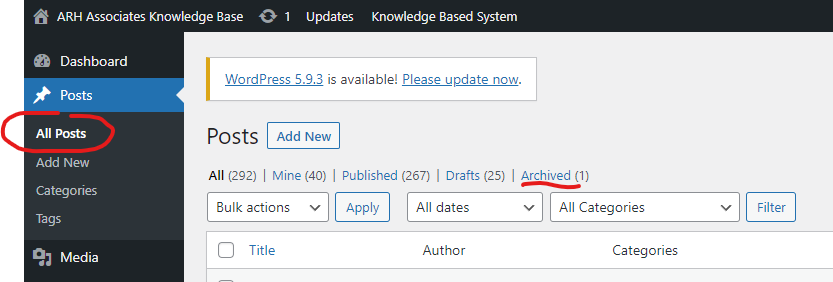
Go to Admin panel, Posts tab, click All Posts sub-tab, move you mouse to the post which you want to delete, then click trash link under the post title.

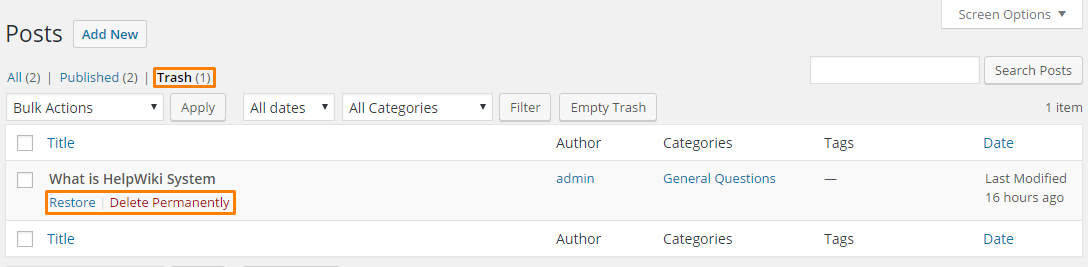
This operation only means you throw this post to a “trash can”, it is not real deleted but will stay in the “trash can” for 30 days. If you want to permanently delete or restore this post immediately, click Trash link, find the post and move you mouse on it then click Delete Permanently, if you want to restore this post, click the Restore.
Archiving
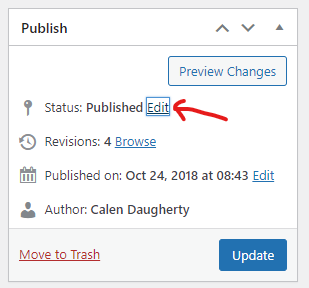
On the right hand side of the article. Click the “Edit” link.
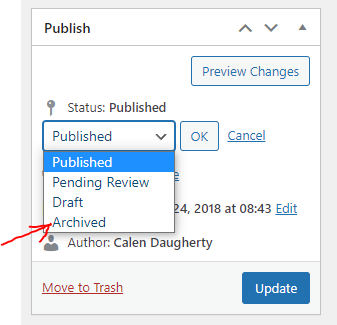
 Pick “Archived” from pull down. Click “Ok” button and then click “Update”. That will remove the article from the search and category.
 To un-archive the article. Just click the “Publish” button.
Archived articles can be filtered under “All Posts”