- Login to the site by using Admin username and password
- Clicking the “Users” link in left side menu, then clicking “Add New” Button
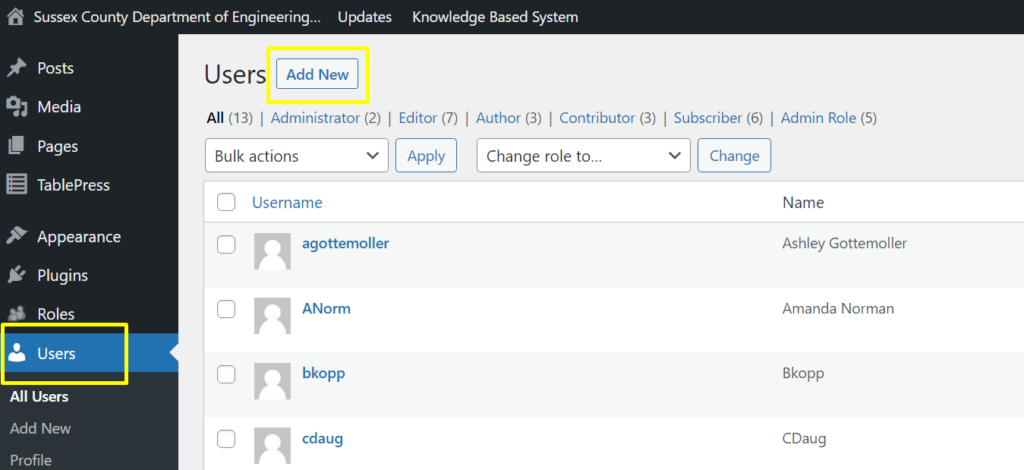
- Input basic user information here
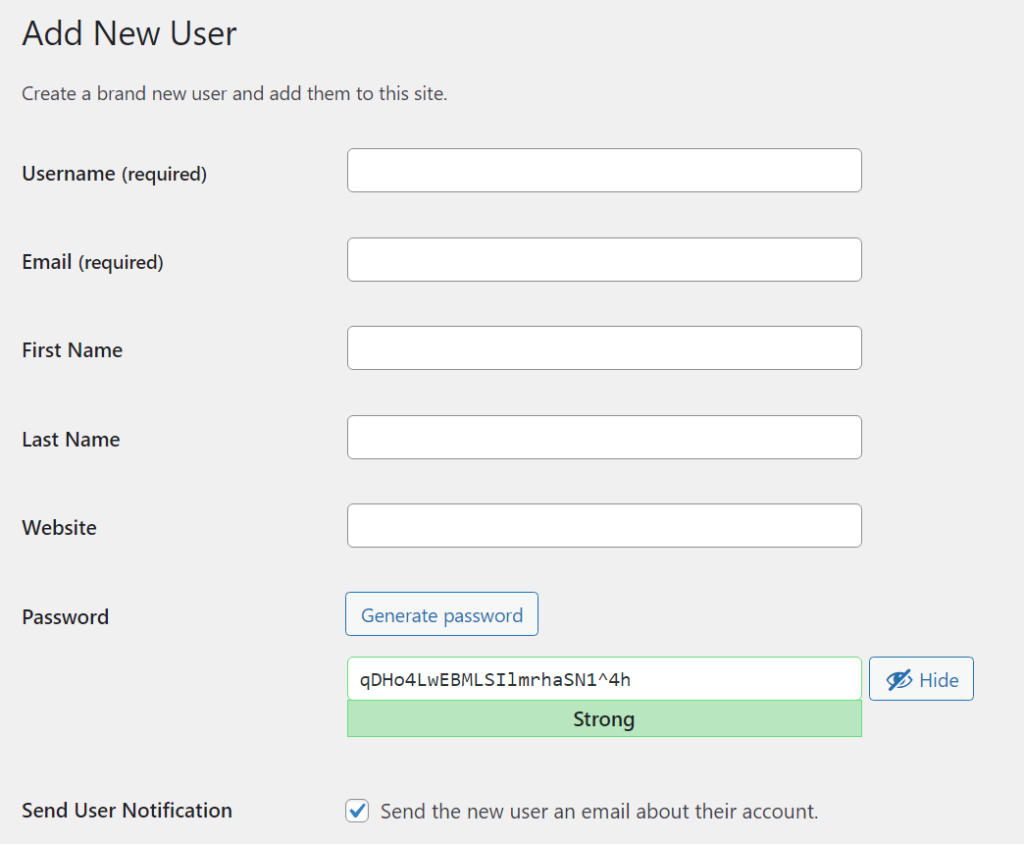
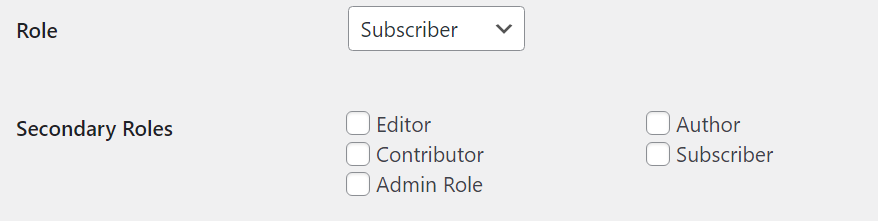
- Select a user role, the default System user role include:
Administrator – somebody who has access to all the administration features
Editor – somebody who can publish and manage posts including the posts of other users.
Author – somebody who can publish and manage their own posts.
Contributor – somebody who can write and manage their own posts but cannot publish them.
Subscriber – somebody who can only manage their profile.In our HelpWiki, we made a function to allow a user have multiple roles, admin can select multiple roles from Secondary Roles list. If you do not need this feature in your HelpWiki, you can contact us to turn this feature off.
In our HelpWiki, we made a function to allow admin to create a user with a customized role, usually we use this function together with Active Directory and User Groups, this can give different access permissions to different department users. If you do not need this feature in your HelpWiki, you can contact us to turn this feature off. To get more information please read:
https://basehelp.arh-us.com/create-custom-user-roles-in-wpfront-user-role-editor/
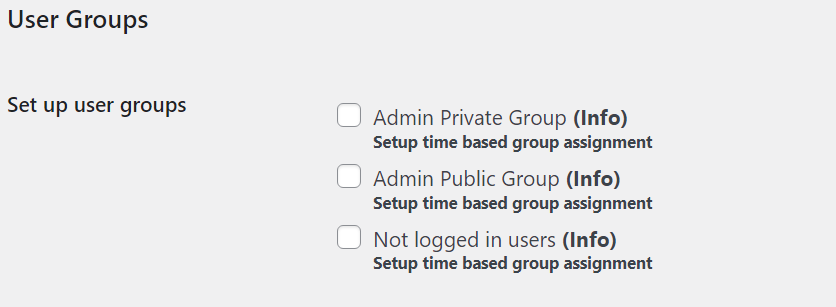
- In our HelpWiki, we made a function to allow admin to create customized User Groups, usually we use this function together with Active Directory and Customized Roles, this can give different access permissions to different department users. If you do not need this feature in your HelpWiki, you can contact us to turn this feature off. To get more information please read:
https://basehelp.arh-us.com/create-user-groups-in-user-access-manager/

Contact Us
Phone:Fax:
Email:
Address
,